
CS4 - To upgrade or not upgrade, that is the question

by Alex
Posted in Photoshop on October 27th, 2008

Creative Suite 4 is about to be released. But from what I’m reading of it, I think I’ll stick to CS3 for a while yet. Those lucky enough to have received early BETA releases (alas, not me) have reported a few minor improvements, as you’d expect. But with Adobe’s hefty upgrade bill, it hardly seems worth it. Which brings a whole new angle to the upgrade/not upgrade argument. When is it advisable to upgrade, and how long is too long to wait.
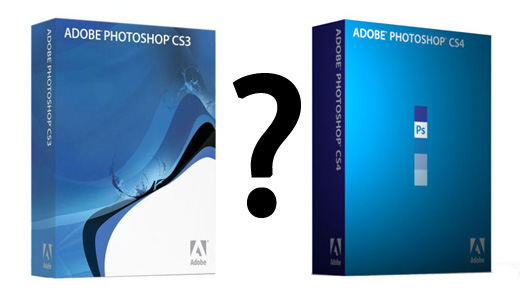
Upgrate to Creative Suite 4 or not ?

One of the biggest expenses for any lone designer is software. Creative Suite, although there’s a great saving by buying the bundle, is still not cheap. But unlike spending money on plant or equipment, which can pay for itself over the years, there seems to be a major software upgrade almost annually.

Every time a new version comes out, there are many emotions running through my head, usually tempered with more pragmatic considerations.

For one thing there is the eagerness to find out what’s new. Then there is the urge to be up with the latest innovations. Nobody likes to be saddled with an ‘old model’. Finally there is the feeling – if an upgrade is delayed – that others are enjoying benefits that you, yourself, are missing out on. Or in other words, while you’re still toiling away for half an hour performing a regular function in your software, your opposition can do it in five minutes because… she upgraded!

But the reality is different.

Take Photoshop, for example. The tools that I use daily have all been there for years. Sure, some of the new CS2 and CS3 innovations are handy – such as the Refine Edge tool for selections. But did I miss it back when it wasn’t there? Not really.

Let’s face it, most of us are happy with what he currently use, and when we do upgrade, we continue using the tools we’re used to, and only a fraction of the new stuff that comes in the box.

So why upgrade at all?

For one thing, if you are in the position to receive files from others, there is a credibility danger in having to tell people ‘could you please save as version such and such?’ Then, if like me you’re a trainer or a teacher, you have to be up todate, or risk losing clients.

But for most applications, the only real motivation to upgrade is to avoid falling too far behind. Every day I receive emails from people wondering if my tutorial (created in Photoshop CS3) can be completed in Photoshop 7, or some such. Then there is the job aspect to consider. If you’re happy plodding along with Indesign 3, but then apply for a job at an agency which is right up-to-date, you risk a black mark against you. Sure it’ll only take you a day or two to come up to speed on the new version, but there’s that credibility thing again. Finally, if you get too far behind, there really is that fear that you’re slower or less effective because (who possess the latest software) have an unfair advantage over you.

So it’s really up to you. My advice would be to wait until a new version is out, and then upgrade to the next-to-latest version. For the past year or so I have seen sealed versions of Creative Suite 2 available on the online auction sites for some hefty savings.

Oh, I’d just like to point out one major gash in the side of the upgrade/not upgrade argument. It’s called InDesign. Unlike Illustrator, you cannot save an InDesign file in an older version, and no version will open a file created in a newer version. There is an EXPORT option called InDesign Interchange. Recently I received a commission to create several InDesign templates for a company. But I was on CS3 and they only had CS2. Worse, as I’d upgraded from 2 to 3 and changed from PC to Mac at the same time, I didn’t have the option of reinstalling the old version (license allowance notwithstanding). So I had to EXPORT these templates for this company – and what a disaster. Only later did I read the Support files and the forums, all of which told of countless problems inherent in the exercise, not the least of which was the total collapse of Paragraph Styles.

The lesson learned? As this company owned several hundred licenses for InDesign and was unwilling to upgrade, it was probably up to me to ensure I maintained a workable older version somewhere.

Will you upgrade ?

About the author

Author : Gary Crilley
Website : http://www.theelectricartist.com/
Description : The Electric Artist site is the number one source of high quality video tutorials, Photoshop tips and sources for further training, aimed at graphic and web designers, illustrators and computer graphic artists of all kinds.

Related posts

You might also like these similar articles:

  1. Adobe Creative Suite 3 available for purchase
  2. CorelDRAW Graphics Suite X3 certified for Windows Vista
  3. Lynda.com Launches Adobe Creative Suite 3 Training
  4. Adobe Creative Suite 3 To Be Announced March 27
  5. Adobe InDesign CS3 Training Videos

Share this article
Got something to say ?Leave a comment
  • Kandee
    October 27, 2008 at 3:52 pm

    I agree. I’ll wait and save my company the money.

  • Amber Weinberg
    October 28, 2008 at 7:23 am

    I’m going to wait for CS5 to come out…I paid enough for CS3 (and even got the student price) and don’t see enough improvements to dish out another $600. It’s ridiculous.

  • Calvin Froedge
    October 28, 2008 at 7:24 am

    Same here….I don’t have the money to upgrade and it looks like most of the new features are for video and print designers.

  • Alex
    October 28, 2008 at 11:15 am

    I think I’m gonna stick to CS3 too for now. I see no reason for upgrading.

  • ben
    October 31, 2008 at 11:35 am

    i suggest downloading the suite and use the trial version for a couple of weeks.
    the overall workflow has improved so much.
    they also fixed a lot of stuff that drove me crazy.
    if you have a decent machine to run it on then you can full advantage of the whole suite.
    of course you have to see for yourself if it is justified to get the update.
    just try the whole thing and let us see what you think.

  • dxh
    October 31, 2008 at 3:31 pm

    I’m going to upgrade because I still use CS2 and didn’t upgrade to CS3 :) And the improved GUI with x64 support is excellent for my needs.

  • Joe
    October 31, 2008 at 10:45 pm

    You MUST upgrade to stay competitive, the new features save you time which is money-if you keep using those old tools then no only is your client paying you for time that could have been saved with an upgrade but you can free up time to save with your kids. Imagine batch conversions before CS1? now I can convert 300 of my client’s digital images to a standard size in minutes. Take it from me, UPGRADE, you’ll ease in the new features before you know it. Upgrades are a reality geared to save you TIME!! Don;t be so cynical!!

  • Spyros
    November 1, 2008 at 12:12 am

    I would like to use CS4 but I feel that my PC will not be able to take full advantage of the software. I need a new computer before I upgrade my software. Even now with CS3, I have some speed issues.
    Now, to answer the question if I WOULD upgrade if I could? I think I would because of the cool changes in Flash and Dreamweaver.

    My last blog post : Twitter: Ποιοι είναι φίλοι σας και ποιοι όχι;

  • Alex
    November 1, 2008 at 12:39 am

    Joe, that’s an interesting point of view, but I personally am not convinced the changes worth it. CS3 was announced just as well as a spectacular breakthrough, but it wasn’t a huge leap. It was an improvement, but all work I did with CS3 I could have just as easily make with CS2. I will do just as well with CS3. I may have the curiosity to download a trial version and test drive it for a while, but Adobe’s marketing team didn’t “buy” me this time.

  • Kim
    November 1, 2008 at 12:01 pm

    I was using CS2 on a Powerbook G4, and last week upgraded both, now on a mackbook pro ( early 08 model ) and CS4. I am THRILLED with the improvements to Bridge, that has been the most important for me, really makes a huge difference. I rely on it, and it had a lot of issues before.

  • Neutron
    November 1, 2008 at 12:38 pm

    Well for me the GPU integration its just a reason to upgrade i mean, the workflow is a lot smoother with it.. is not a new tool, is not a new effect, but it just help to work better :) working with big files are so easy now :D. there is also multiple artboard in Illustrator CS4, I mean thats doesnt worth upgrading? its a lot easyer than make a tiled document to work with..

    but the upgrade from cs2 to cs3 wasnt really that big, but this :) I love it :D
    My last blog post : Bocetando en 3d

  • Elmas
    November 1, 2008 at 2:16 pm

    I tried CS4 and i HATE it. It has some cool new features but everything else including the performance part is total crap. Even the select tool has a delay its not instant…

    Concerning that graphic-card powered stuff. If it wasn’t for that new canvas rotation i woudn’t even notice that. Its almost nothing.

    Musn’t forget this. It has some serious memory problems. After few bigger projects, it simply doesn’t matter if you close them or not, PS will just lag and be slow …

    OH and i don’t know what i would do without their “Hand tool tossing”… (note the sarcasm)

    I have a pretty decent PC so i know that’s not the problem. Its just awfull…
    I wouldn’t recommend it to anyone …

  • Smart Pants
    November 1, 2008 at 3:04 pm

    Just download and use a cracked version…problem fixed

  • Darksidehearts
    November 1, 2008 at 4:46 pm

    I agree, staying with ones you have that work is better but it’s also good to stay up to date so when you need it you have it. I loved Photoshop 7, when I upgraded to my Macbook from my Crappy Powerbook it ran even better however when I updated to Leopard it no longer worked not matter what I tried, even re-installing it would do no good. As it turns out I had to update it to CS3 otherwise it would not run on the new Os, of course I suppose CS2 would do the same as well but at the time I figured “why not go for the new one?” Well anyway after getting sticker shock at the amount for the package it took a while to track down the Update only version but to me it was worth the $119 I payed for it. If I want to use 7 all I need to do is go to my iMac DV in order to enjoy it. But I don’t think I’ll save the money for CS4 as of right now, there’s just not enough to it to make me WANT to update it.

  • Christina Warren
    November 2, 2008 at 1:10 am

    It’s all about what tools you use the most and if the updates will help you with your productivity. On my MacBook, CS4 is faster than CS3 (especially when opening Photoshop) and I like the new workspace frame (though it was hard to get used to at first). I beta-tested CS4, so I’ve had more time to get used to some of the changes, but for stuff I use a lot, the updates are pretty significant.

    I have to crop photos A LOT (screenshots, mostly) and content-aware scaling is insanely awesome. The new blob brushes in Illustrator are also pretty awesome. But it really comes down to what you use the most and if you are going to see significant improvements by upgrading.

    In my experience, you aren’t expected to update to the latest version immediately for professional credence — within a year is usually the norm. In the current economic client, it might even be longer.

    I will say, if you are buying a new PC or Mac and you are a designer or artist by trade, upgrading to CS4 is probably in your best interest.

  • ojok bob
    November 2, 2008 at 12:54 pm

    CS4 idea is great.I dont believe in settling for less.

  • Jon Williams
    November 2, 2008 at 7:24 pm

    I’m definately upgrading. I can’t wait. Photoshop is my best friend :)

  • Ray
    November 3, 2008 at 2:56 am

    I had to upgrade to CS3 when I bought an Intel-based MacBook Pro. About a week later, CS4 was released. I called Adobe to tell them I thought I deserved a free copy of CS4. To my surprise, they agreed.

    I use Dreamweaver all day, every day. The CS4 version of Dremaweaver is definitely worth the upgrade. Huge advances in productivity; particularly love the way all related style sheets, javascript and includes are a click away when working on an HTML document.

    I use the other software anywhere from a few times daily (Photoshop, which has a few nice new things) to once in a blue moon. I don’t see much in any of them that would have made me spend money on them if I hadn’t needed to.

    I just don’t get Bridge. What is it for?

  • Geoff
    November 3, 2008 at 6:27 am

    The main resin I have not upgraded is lack of funds.
    Sure if I had the dough I would love to take a spin on the latest and greatest, but then I sit back and wonder how else I could use the money.
    I must admit, I am still using Photoshop 6 and there have been many of times that I wish I had more brush controls, but on the other hand, I have been very capable of producing many of the more modern techniques that require CS2 or higher.
    Yes it may take me a little longer figure out how but in some cases, my techniques of more effective.

  • Alex
    November 3, 2008 at 11:14 am

    @Ray … You got a copy for free … that’s cool. Guess you never had to ask yourself Should I upgrade to CS4 ? :) . Adobe Bridge it’s just what it says .. a bridge between different components of Creative Suite.

  • Jessica
    November 3, 2008 at 10:35 pm

    I just got CS4 last week, and at first, I didnt think it was that different. But the more I use it, the more I LOVE it.

    There seems to be a bigger difference between CS3 and CS4 then there was between CS2 to CS3.

  • SLoB
    November 3, 2008 at 11:24 pm

    Think I’ll leave cs4 for quite some time ;), over here in the UK its not cheap at all and the pain of installing any ADOBE product leaves you with a foul taste in your mouth, the software is excellent but the installers for the CS3 suites were a complete disaster.

    I disagree with the MUST update approach, batch conversions and things like that can easily be done with a few js scripts, does anyone use the scripting side of Photoshop? it can achieve quite a bit if the need is there

    CS4 is also supposed to lag on the new UI with the GPU, not something that I would have thought is ideal.

    Adobe need to reduce their prices if they want to keep designers, this annual cost is far too much to consider unless your making lots of money which is not always the case as clients are not prepared to foot the bill.

    My last blog post : Latest Post: cPro MMD - A Classic Reborn

  • JokerBoy
    December 11, 2008 at 4:08 am

    I had decided to wait on updating from CS3 until today. I recently switched to a 64 Bit box and while installing extensions for DreamWeaver I discovered the Extension Manager is not supported and does not load all the extensions. So I may have to upgrade. I love Adobe but it seems like they could treat their users a little better. They offer a manager that works with 64 bit but it only works with CS4—-Nice!

    JB

  • colin
    December 11, 2008 at 9:14 am

    We have upgraded to cs4…my god..what a dissapointment….slow as hell ( i have dual quadcore 2.4 ghz xeon procesors and 4 gig ram!)…performance issues abound…don’t waste your money…stick to cs3 or 2….adobe..stop biting the hand that feeds you…so sick of there crap..expecially when it comes to support…arrogance..indifference…well i say bugger off..i wish there was an alternative to adobe now…

  • Dave
    December 11, 2008 at 7:57 pm

    Just getting to grips with CS3 - and then within the year theres now CS4 (and a lot of dosh to upgrade) - and our graphics section are still on CS2 (but on a Mac).
    Given the varying fonts in the different versions of Indesign - and the real difficulty of saving to be compatible with older versions / or loading older versions in to the new (and its not just paras that lose their formatting in INX exchange formats) - almost enough to make me weep and return to Quark Xpress!!!

  • Alex
    December 11, 2008 at 11:57 pm

    @colin … Slow on 4 GB of RAM !!! That’s quite unacceptable. One more reason I will not upgrade for the time being. I love the way my CS3 is running …

  • George
    February 6, 2009 at 11:55 am

    I’ve been using Photoshop CS4 for about 2 months or so now.. Though it works pretty fast on my MacBook and the new features are great, I prefer CS3.. I was just more comfortable using CS3..

    I make a lot of A3 sized posters for college all on 300 resolution so my files end up quite huge. CS4 loads and saves much faster I reckon.

    I’d suggest people could wait for a while before upgrading.
    I upgraded to CS2 when CS3 was released. And I didn’t seem to face any problem.

  • Randy
    February 14, 2009 at 3:39 am

    Have to agree with Colin. It’s 100% marketing and nothing more. If they cared one spec about their loyal customers, they’d atleast make their new versions backward compatible.

    This old fashioned business style will be their death knell, guaranteed. There is always someone waiting in the wings to pick up the reigns from businesses that forget whence their success comes. Don’t agree? Look at the “king of software,” Microsoft. People are turning from MS in record numbers and will continue to do so as quickly as alternatives become available.

    Wake up Adobe! Why purposely make it so difficult for the graphics community to work together?

    For the record, I won’t upgrade for at least another year, when I will be forced to.

  • randal allen
    February 19, 2009 at 8:43 pm

    As a photographer, not a designer, not a web master, not a video guy of any sort, just a photographer opinion CS4 was just a way to suck money out of my pocket from Adobe. Working on a Mac CS4 Photoshop is completely different from CS3. We do production photography and the cost of the learning curve far outweighed the benefits of the upgrade. Bridge is improved but why move so much of the functions that were in Photoshop and put them into Bridge. Web Galleries are less cross functional than in the past. PDFs for contact sheet are nice but they are not in Photoshop, they are in Bridge. If you are in the photography industry spend your money this time on upgrading you camera.

  • Oliver Blake
    March 4, 2009 at 3:22 pm

    I still use CS3 and have been since it came out. A few people I know use CS4 and say that some things have been improved but I’ve not had a chance to try it out yet. I might get a free trial and see if it’s any better, but CS3 works perfectly for me and I don’t have any real reason to upgrade yet. Maybe I will upgrade eventually when I have the chance to get the money for it, but for now I’ll stick to CS3.

    Great post as always, keep it up, thanks.

  • colin
    April 21, 2009 at 1:44 pm

    oh well..i’m back again to bitch. I tried to get hold of adobe, but it seems that to interface with them i have to stare at an interface. Their website is a mess…all they want to do is punt their product no matter what. Still no resolve regarding the constant scarshes, stupid messages that come up as an excuse wht their product is failing me and my business. So i am porting over to combustion. Oh it’s bliss!

  • Alex
    April 21, 2009 at 2:16 pm

    I agree with the website. It needs re-thinking. You can hardly find anything else than product selling.

  • Lynn
    August 29, 2009 at 4:17 pm

    I have upgraded to CS4 on one computer, because of future compatibility concerns …

    http://www.appleinsider.com/articles/09/08/26/adobe_abandons_legacy_support_for_apples_snow_leopard.html

    “Adobe will support Creative Suite 4 software running with Snow Leopard according to its standard customer support policies,” Adobe said. “Older versions of Adobe Creative Suite software were not designed to run on Mac OS X Snow Leopard (v10.6), so you may experience issues installing and using the software for which there are no solutions.”

Add a commentGet a Gravatar

* Name

* Email Address

Website Address

You can usethese tags:
<a href="" title=""> <abbr title=""> <acronym title=""> <b> <blockquote cite=""> <cite> <code> <del datetime=""> <em> <i> <q cite=""> <strike> <strong>
Sponsors
PSD to HTML
PSD to HTML
Elegant Wordpress Themes PSD to HTML
Favicon Ads
Share your design news Free Joomla Templates Free mediawiki skins Free pligg templates Flash web templates Web Design and Graphic Design Forum CLD Vectors - Free Vectors for Download Free Vectors
RSS Feed
Around The Site
Sponsor
The World's Best Web Design
Sponsors
Need templates ?
Thousands of themes and templates
User Links Panel
RSS User Links
Friends
We recommend
Sponsor

Money Saving Tips
Find cheap business cards printing, postcard printing and brochure printing by searching for online coupons. Search terms like "print flyers coupon code" in your favorite search engine.